
THE STMTIO GUIDE LIBRARY
Bank statement guides.
From PDF to reviewed export.
For bookkeepers, accountants and anyone preparing statement data: find the next step for your PDF, extracted records or saved export. These guides explain input checks, source review, common extraction issues and CSV/XLSX handoffs. Use the task sections below, or start with the review checklist before using converted transactions for bookkeeping.
Curated by Stmtio Team · Directory updated November 3, 2026 · Each guide retains its own scope and check date
START WITH THE SOURCE
A converted row still needs a review.
Check the selected pages and compare dates, descriptions and signed amounts beside the original PDF. Investigate missing records, repeated rows and unexplained balance differences before exporting.
New to Stmtio? Follow the bank statement conversion workflow. For image-only pages, read about local statement OCR; OCR output still needs review.
Open the review checklist ↗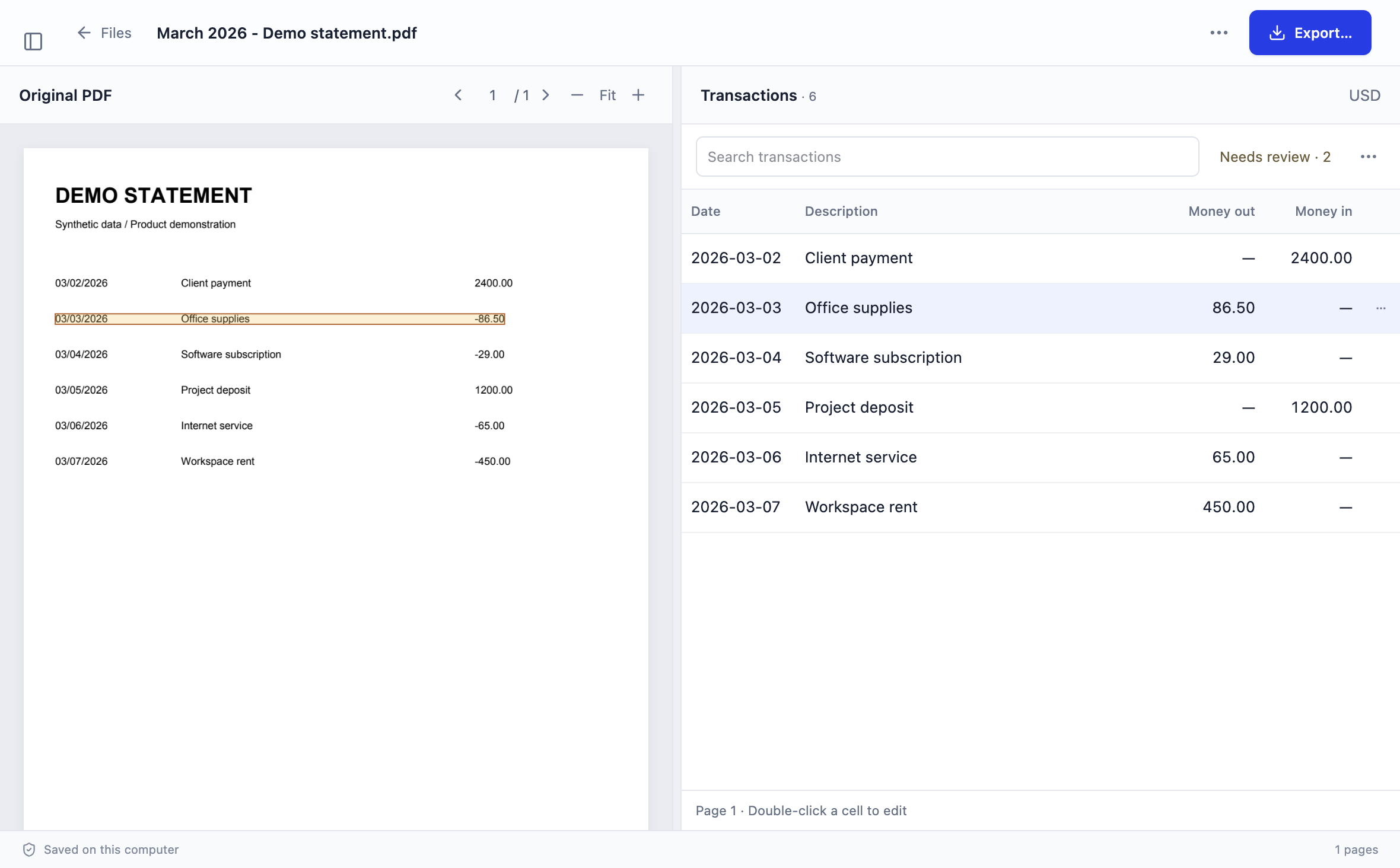
01 / 2 GUIDES
Prepare and convert PDFs
Check the input and the intended conversion scope before reviewing transactions.
Prepare old statements for catch-up bookkeeping
Inventory a backlog, hold missing months, check each period and hand off traceable files with open questions.
Open a password-protected statement
Use a known PDF password, choose pages and understand the tested encryption and failure boundaries.
02 / 3 GUIDES
Review and reconcile transactions
Compare extracted records with the original PDF before trusting a spreadsheet total.
Bank statement review checklist
Check page coverage, dates, descriptions, signed amounts and balances before export.
Understand debit, credit and signed amounts
Resolve source-account conventions and inspect payments, receipts, refunds and transfers.
Reconcile a converted bank statement
Trace missing or duplicated records with independent balance controls and a synthetic workbook.
03 / 4 GUIDES
Export, import and combine results
Choose a file format, inspect the destination preview and keep source records traceable.
Choose CSV or Excel
Compare date and amount representations, workbook behavior and the needs of the receiving workflow.
Import a bank statement CSV into QuickBooks
Prepare the dedicated export, map columns and check the exact QuickBooks account before confirming an upload.
Check the QuickBooks three-column CSV format
Inspect Date, Description and Amount, date-order differences, signed values and a synthetic CSV sample.
Combine monthly statement exports
Append reviewed exports in a separate working copy, resolve overlaps and preserve legitimate same-amount transactions.
04 / 1 GUIDE
Fix extraction issues
Return to source evidence when an extracted row does not match the PDF.
Fix split bank transaction descriptions
Identify wrapped text, correct a description safely and know when to revisit column mapping or extraction.
TRY ONE REPRESENTATIVE STATEMENT
Keep the original beside the numbers.
Statement PDFs, extracted text and transactions are processed and stored on your computer. Sign-in, subscription, device registration and page-allowance checks require online services. Uploading an export elsewhere is a separate action.
Available for Windows x64 and macOS on Apple silicon and Intel. Stmtio 0.1.0 Preview supports USD exports and has unsigned installers. Start with 10 free pages, review the result and inspect the destination preview.
Choose your installer ↗