
FROM BACKLOG TO REVIEWED FILES
Catch up on old bank statements. Work one checked month at a time.
For bookkeepers preparing a backlog of PDF bank statements, start with an account-by-period inventory. Convert and review each available statement, check monthly coverage and totals, then hand off separate CSV or Excel files with source references and unresolved questions. Stmtio handles local extraction and review; completing the books still requires accounting decisions and supporting records.
By Stmtio Team · Checked November 2, 2026 · Synthetic workflow, no customer records
01 / DEFINE THE BACKLOG
Know which records you have. Keep the gaps visible.
Agree the scope before converting.
Confirm the entity, account alias, currency, first and last statement periods, and the receiving bookkeeping account. Ask the recipient which dates and transactions are already recorded, including bank-feed and previous imports. Keep each account separate.
If the bank still offers a usable CSV for the exact historical period, inspect it before converting the PDF. Keep the PDF for source checks. A transaction list does not replace invoices, receipts or an explanation of business purpose.
Make a manual coverage register.
Record source filename, actual start/end dates, expected and received pages, conversion coverage, reviewer, export filename and open questions. Use the dates inside the PDF, rather than trusting the filename. Mark a missing document as missing, never zero transactions.
Keep originals unchanged in a restricted folder. Use known PDF passwords only; follow the password-protected PDF guide. Obtain missing statements from the account owner or bank; do not infer individual payments from balance differences.
02 / CONVERT LOCALLY, REVIEW THE SOURCE
Start with a representative statement.
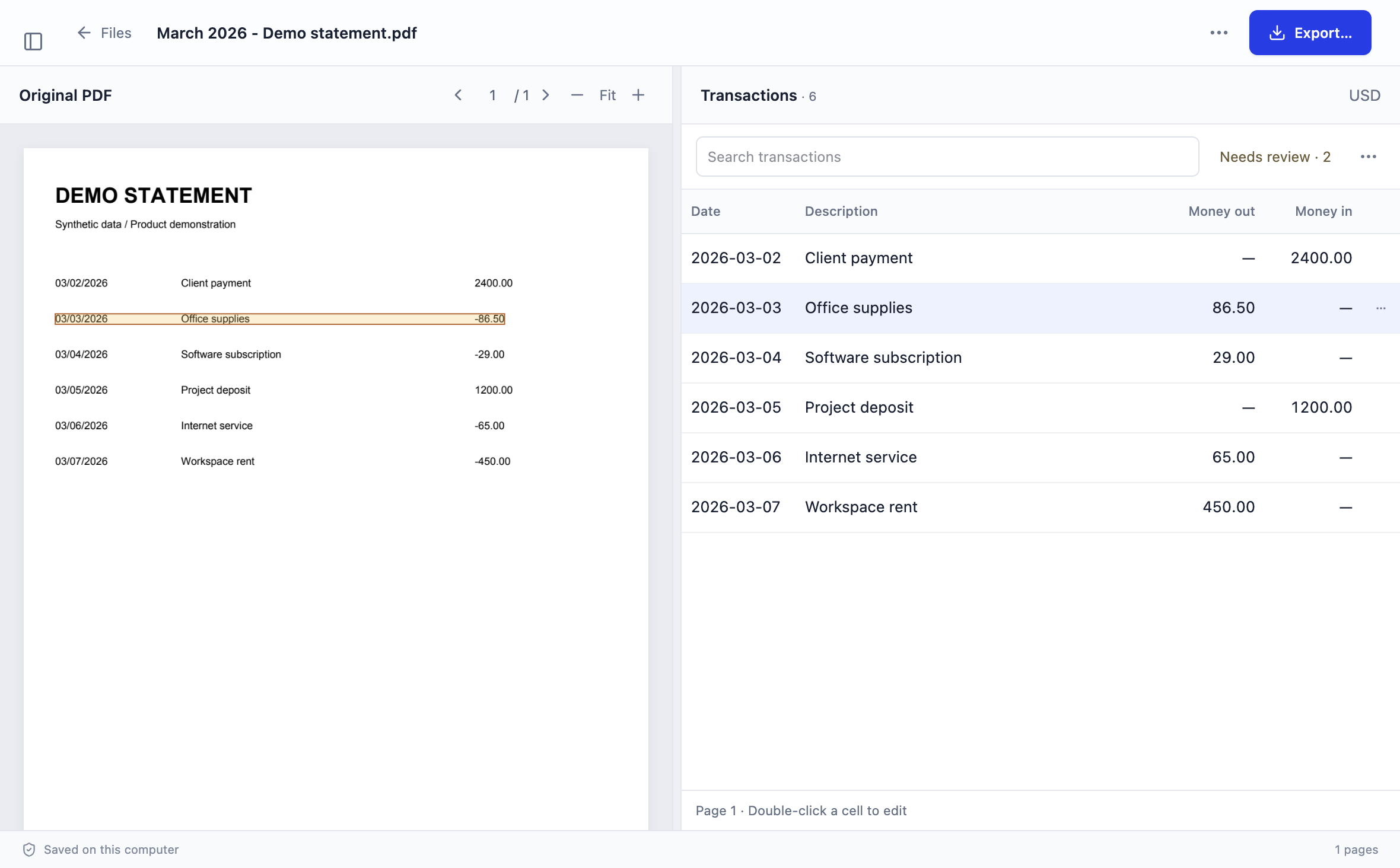
Try one typical statement before processing the backlog. Check whether its text is selectable or needs local OCR, select the intended pages and compare the result beside the PDF. Revisit column mapping or unresolved extraction issues before reusing that approach.
Then queue the other PDFs in manageable groups. The current run limit is 500 selected pages and the page allowance is checked online. A finished queue is not a quality sign-off. Open failed or partial files to review or resume; record them as incomplete until resolved.
Save a separate export for each conversion result. Use the same format throughout a handoff, or record clearly why files differ. Stmtio does not automatically create the coverage register or combine all results into one export.
03 / A MONTHLY QUALITY GATE
Close the questions before closing the month.
Use this manual checklist for each account and statement period. Marks are temporary page controls, not saved records or an automatic validation. Record the evidence and sign-off in your own register.
For detailed field checks, use the transaction review checklist. For independent counts and balances, use the conversion reconciliation guide. A zero balance difference alone does not prove descriptions, dates or classifications are correct.
04 / THREE-MONTH SYNTHETIC WALKTHROUGH
January and March are ready. February is still missing.
This invented Demo checking example covers January 1–March 31, 2026 in USD. The first intake has only January and March. Values below are educational controls, not customer data or results extracted from real PDFs.
| Period / source | Source rows | Opening / closing | Reviewed net | Handoff status |
|---|---|---|---|---|
| 2026-012026-01-demo.pdf | 3 | $1,000.00 / $1,545.00 | $545.00 | Available month checked in this example |
| 2026-02PDF not received | Unknown | Unknown | Unknown | Hold: request original statement |
| 2026-032026-03-demo.pdf | 2 | $1,800.00 / $2,112.50 | $312.50 | Available month checked in this example |
Initial handoff: partial. January closes at $1,545.00; March opens at $1,800.00. The $255.00 difference is only a net balance movement, not evidence of the number, dates or descriptions of February’s transactions. Do not create a $255.00 “balancing” row or report a complete quarter.
After the February statement is received and reviewed
The recovered synthetic February source contains a $600.00 receipt and a -$345.00 payment: two rows, $255.00 net. Each month now has its source and matching count; closing and opening balances are continuous.
| Period | Rows | Opening | Net activity | Closing |
|---|---|---|---|---|
| 2026-01 | 3 | $1,000.00 | $545.00 | $1,545.00 |
| 2026-02 | 2 | $1,545.00 | $255.00 | $1,800.00 |
| 2026-03 | 2 | $1,800.00 | $312.50 | $2,112.50 |
The reviewed set has 7 transactions and $1,112.50 net activity. Starting from $1,000.00 gives $2,112.50. Keep the three monthly files and controls even if you also prepare a combined working copy.
This checks the example’s arithmetic and saved export representations. It does not establish that an actual PDF was parsed correctly, that the entries are classified, or that a real destination account accepted an import.
05 / DELIVER A TRACEABLE PACKAGE
Give the accountant the files and the decisions still needed.
Organize by account and period.
Keep original PDFs, untouched per-statement exports and reviewed working copies separate. Use account aliases and explicit period dates in filenames. Standard CSV and XLSX include Date, Description, Amount, Currency and Review status; source filenames, page references, owners and exception notes are manual additions to your register.
Demo-checking/2026-Q1/
  originals/       source PDFs, unchanged
  exports/         one CSV or XLSX per result
  working/         annotated copies, if needed
  coverage/        period register and controls
  exceptions/      open questions and decisions
This is a suggested folder arrangement you create yourself. It is not a Stmtio-generated bundle. See CSV versus Excel before choosing the receiving format, and the monthly export merge guide if a combined copy is requested.
Include a short handoff note.
- Scope: entity, account alias, currency, periods covered and anything missing or partial.
- Controls: source/converted page coverage, transaction counts, monthly opening/net/closing checks, reviewer and review date.
- Import boundary: records already in the recipient’s account, intended date range and overlap decisions. Keep dates, signed amounts and row counts in the destination preview under review.
- Exceptions: filename/page/row reference, question, owner and next action. Flag unclear descriptions, unexplained differences and missing supporting documents instead of guessing their accounting treatment.
- Completion boundary: “reviewed transaction files prepared” is different from categorized, imported, reconciled in the ledger or ready for a tax filing. Have the recipient confirm the next step.
Share only with the authorized recipient through your agreed secure channel. An exported spreadsheet contains sensitive data even when extraction stayed on your computer.
Handling recurring client work? The Stmtio workflow for bookkeepers connects intake, batch review, client-data policies and page allowances.
COMMON QUESTIONS
A backlog needs evidence, not guesses.
Can I finish catch-up bookkeeping with only bank statement exports?
A reviewed transaction file is an input to bookkeeping, not a completed ledger or tax return. Invoices, receipts, business context and other records may still be needed. The receiving bookkeeper or accountant must resolve classification and accounting decisions.
What if a month is missing?
Record the exact missing statement period and request the original. You may prepare the available months, but label the handoff as partial. Do not invent transactions from a balance difference or treat a missing month as zero activity.
Does Stmtio merge or reconcile the entire backlog automatically?
No. You can queue several PDFs, review them beside their originals and export each conversion result. The coverage register, monthly controls, spreadsheet append, duplicate decisions and handoff described here are manual tasks.
Can I use a bank feed and historical PDF exports together?
First agree the account, date range and records already present with the recipient. Inspect overlapping dates and candidate duplicates against source evidence. Do not assume a feed covers every historical period, or that matching dates and amounts prove a duplicate.
What was checked
Stmtio Team checked the current import dialog, batch queue and per-result export code on November 2, 2026, and replayed this synthetic data through the CSV/XLSX export functions. This is a developer-observed synthetic workflow, not a bookkeeper interview, customer case study, full desktop session or real accounting-system import.
Destination guidance checked on the same date: Intuit’s account reconciliation instructions support comparing source balances and transactions; its manual upload instructions cover choosing the account, mapping fields and avoiding overlap with existing records. These are QuickBooks Online instructions, not a claim that Stmtio performs ledger reconciliation. For that destination, read the dedicated CSV upload guide and verify your version’s current requirements.
LOCAL PDF EXTRACTION AND REVIEW
Prepare the first month. Check it before expanding.
Stmtio processes and stores statement PDFs, extracted text and transaction data on your computer. Sign-in, subscription, device registration and page-allowance checks require online services. Uploading or sharing an export is a separate action; read the data-handling boundaries.
Available for Windows x64 and macOS on Apple silicon and Intel. Stmtio 0.1.0 Preview supports USD exports and has unsigned installers. Start with 10 free pages and follow the conversion workflow.
Choose your installer ↗