01 / IMPORT & ORGANIZE
A stack of statements.One clear workflow.
Bring multiple PDFs into a local library and keep your saved statements in reach.
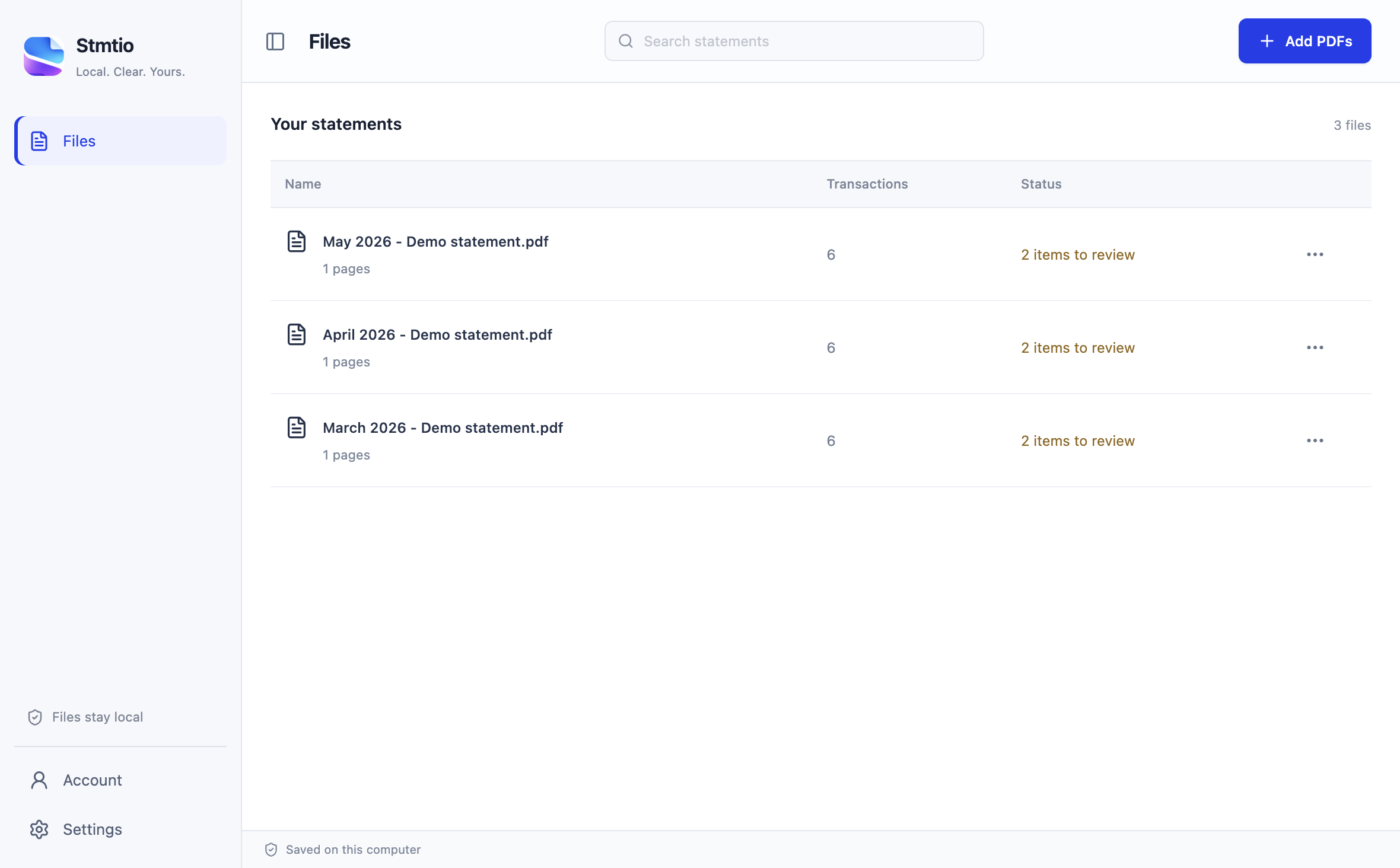
Actual Stmtio 0.1.0 interface · synthetic demo statements

PRIVACY-FIRST BANK STATEMENT CONVERTER
Turn bank statement PDFs into reviewable Excel and CSV transactions — processed locally on Windows and macOS. Built for bookkeepers and accountants: check dates, descriptions and amounts beside the original PDF before exporting.
Local processing · No statement uploads · Review before export
Actual Stmtio 0.1.0 interface · synthetic demo statement
STATEMENT FORMATS
Planned banks are roadmap candidates, not currently supported formats. Availability will depend on sample testing; no release dates are committed.
Bank-specific formats are being validated. Compatibility varies by statement layout; manual column mapping may be needed. Bank names identify formats, not partnerships or endorsements.
SELECTED WORKFLOWS
01 / IMPORT & ORGANIZE
Bring multiple PDFs into a local library and keep your saved statements in reach.
Actual Stmtio 0.1.0 interface · synthetic demo statements
02 / REVIEW WITH CONTEXT
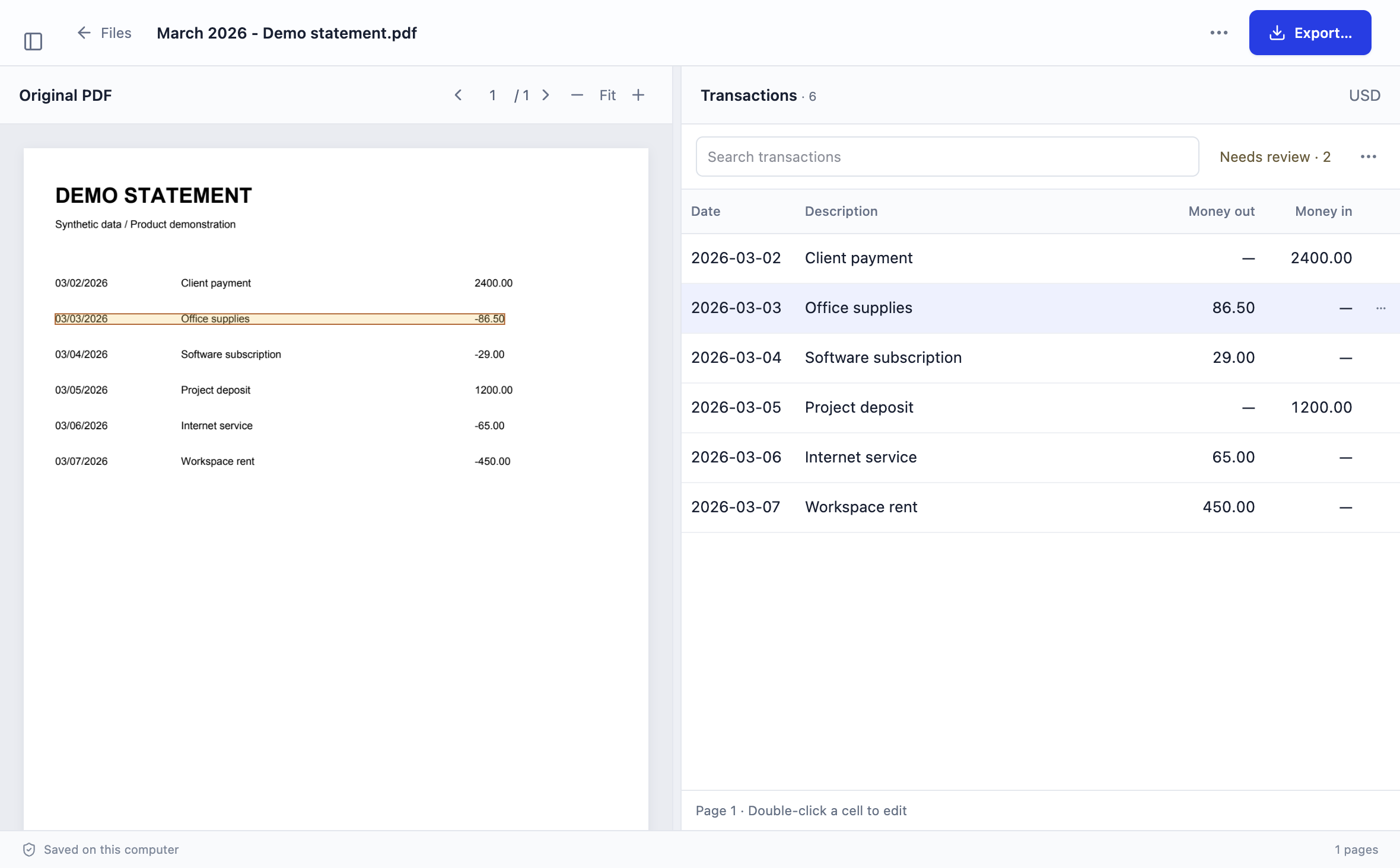
Check extracted amounts and descriptions against the original PDF, then make corrections.
Actual Stmtio 0.1.0 interface · synthetic demo statements
03 / ADJUST COLUMNS
When automatic recognition needs help, map the date, description and amount columns directly on your statement.
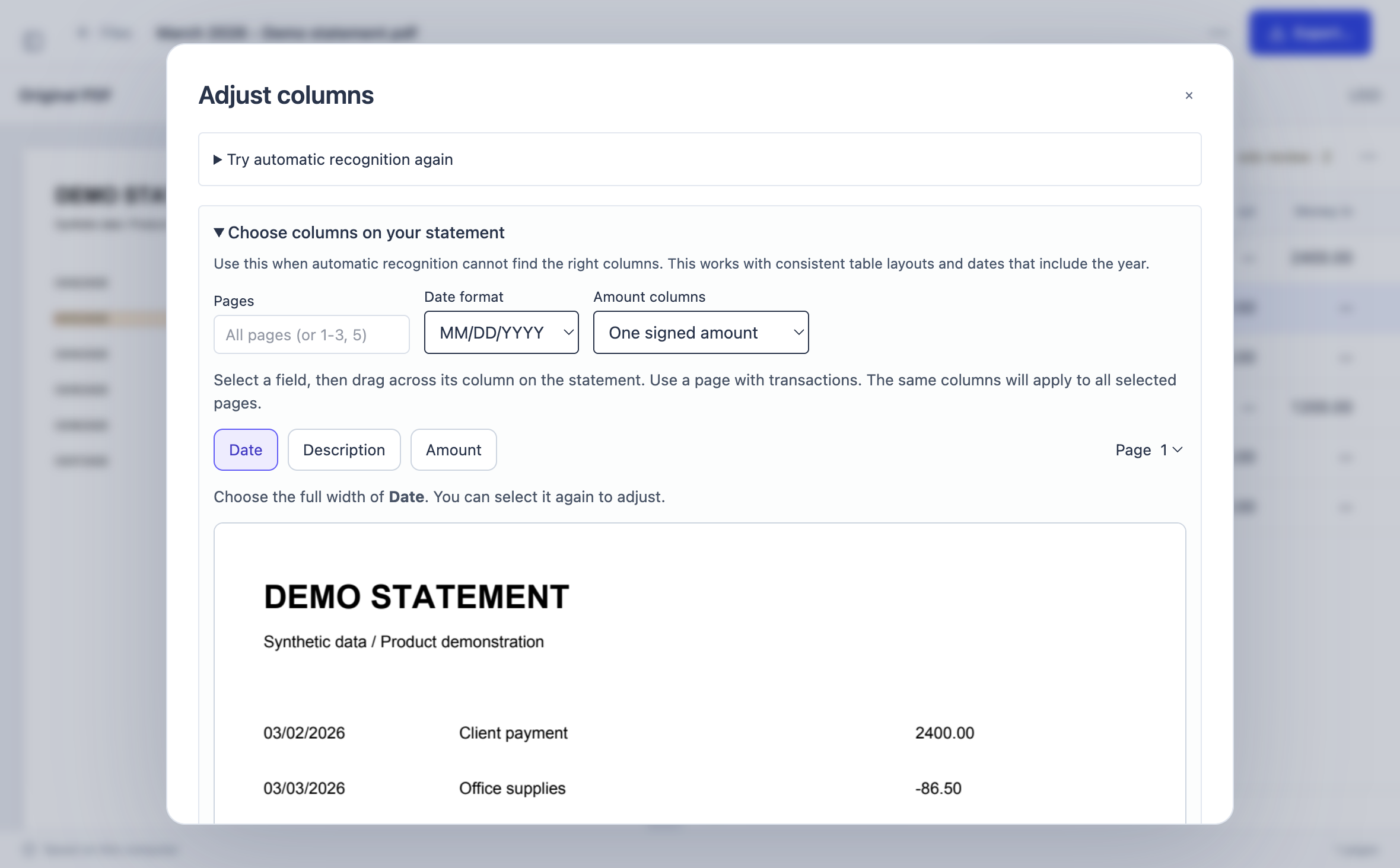
Actual Stmtio 0.1.0 interface · synthetic demo statements
04 / EXPORT
Choose CSV or Excel, inspect the export summary, and save the reviewed result.
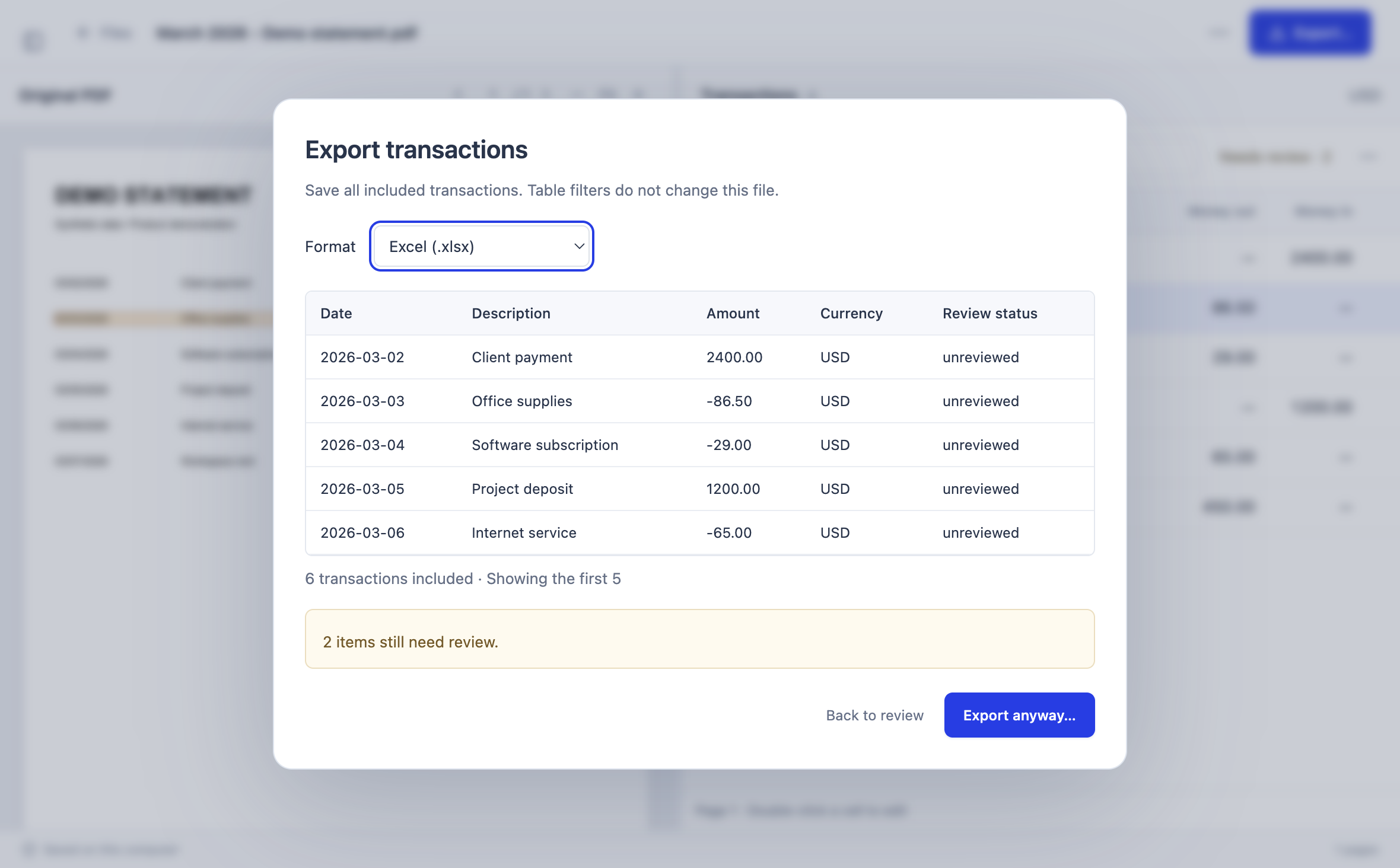
Actual Stmtio 0.1.0 interface · synthetic demo statements
EVERYDAY BOOKKEEPING
Keep your documents local, check the details, and move your bookkeeping forward.
Check extracted transactions alongside the original statement. Locate a source row, compare the details, and correct a field.
Process PDFs on your computer while keeping statement files and extracted transaction data on your computer.
Queue multiple statements, follow processing progress, and return to results saved in your local workspace.
Correct transaction details and inspect the export summary, then choose CSV or Excel for the next step.
01 / THE WORKFLOW
Import locally. Check the details. Export a spreadsheet you can work with.
Add PDFs from your computer, choose pages and arrange a batch. Enter a password for protected statements.
Check transactions beside the source. Correct fields and resolve flagged rows before exporting.
Save CSV or Excel files for your bookkeeping workflow, with original documents kept locally.
02 / LESS REPETITION
Move from a transaction to its place in the original PDF. Review amounts and descriptions with context.
Process multiple statements, follow progress and return to saved work.
Built-in OCR reads scanned statements on your computer. There is no separate OCR download and your statement is not uploaded.
Export CSV and XLSX. A three-column CSV option is available for QuickBooks-style import workflows.
LOCAL BY DESIGN
Your statement PDFs, extracted text and transaction data are processed and stored on your computer. They are not uploaded to Stmtio for conversion.
Account, subscription, device and page-usage information is handled online. Signing in and starting a new conversion require an internet connection.
03 / SIMPLE MONTHLY PLANS
Try your first statements with 10 free pages in total. Choose a monthly plan for regular or higher-volume bookkeeping.
$0
10 pages in total
$19/ month
800 pages per month
$49/ month
6,000 pages per month
Prices in USD. Monthly subscriptions only. Choose and manage your subscription in the desktop app.
04 / A FEW DETAILS
Stmtio 0.1.0 is available for Windows x64 and macOS on Apple silicon or Intel. Choose the installer for your computer on the download page.
Statement PDFs, extracted text and transactions are processed and stored on your computer. They are not uploaded to Stmtio for conversion. Account, subscription, device and page-usage information is handled online.
Yes. Stmtio includes local OCR for scanned pages. Recognition runs on your computer, so no separate OCR download or statement upload is required.
An internet connection is needed to sign in and confirm your page allowance before starting a conversion. Processing can then continue offline. Saved documents remain available on your computer, and page usage syncs when you reconnect.
Free includes 10 pages in total. Paid plans include an allowance each monthly billing period. Pages are set aside when a conversion starts. Successfully saved pages count toward your allowance; unused pages are released.
Statement layouts vary. Bank-specific adapters are still being validated. Some documents need manual column mapping or corrections. Review extracted transactions before exporting.
Subscriptions are monthly. Manage your subscription and request cancellation at the end of the billing period through the account billing portal.
PLATFORM AVAILABILITY
Download Stmtio 0.1.0 for Windows x64 or macOS on Apple silicon and Intel. Start with 10 free pages.
Download Stmtio ↗Unsigned preview builds · macOS and Windows may show installation warnings.
Choose your platform on the download page for installation instructions and checksums.