Dates and characters
Check similar-looking digits and letters, especially 0/O, 1/I, decimal points and date order.

SCANNED BANK STATEMENT OCR
When a bank statement PDF is a picture rather than selectable text, Stmtio uses local OCR to find the text. Review the resulting transactions beside the original page, correct what needs attention, then export CSV or Excel XLSX.
Local statement processing · Windows x64 · Apple silicon and Intel Mac
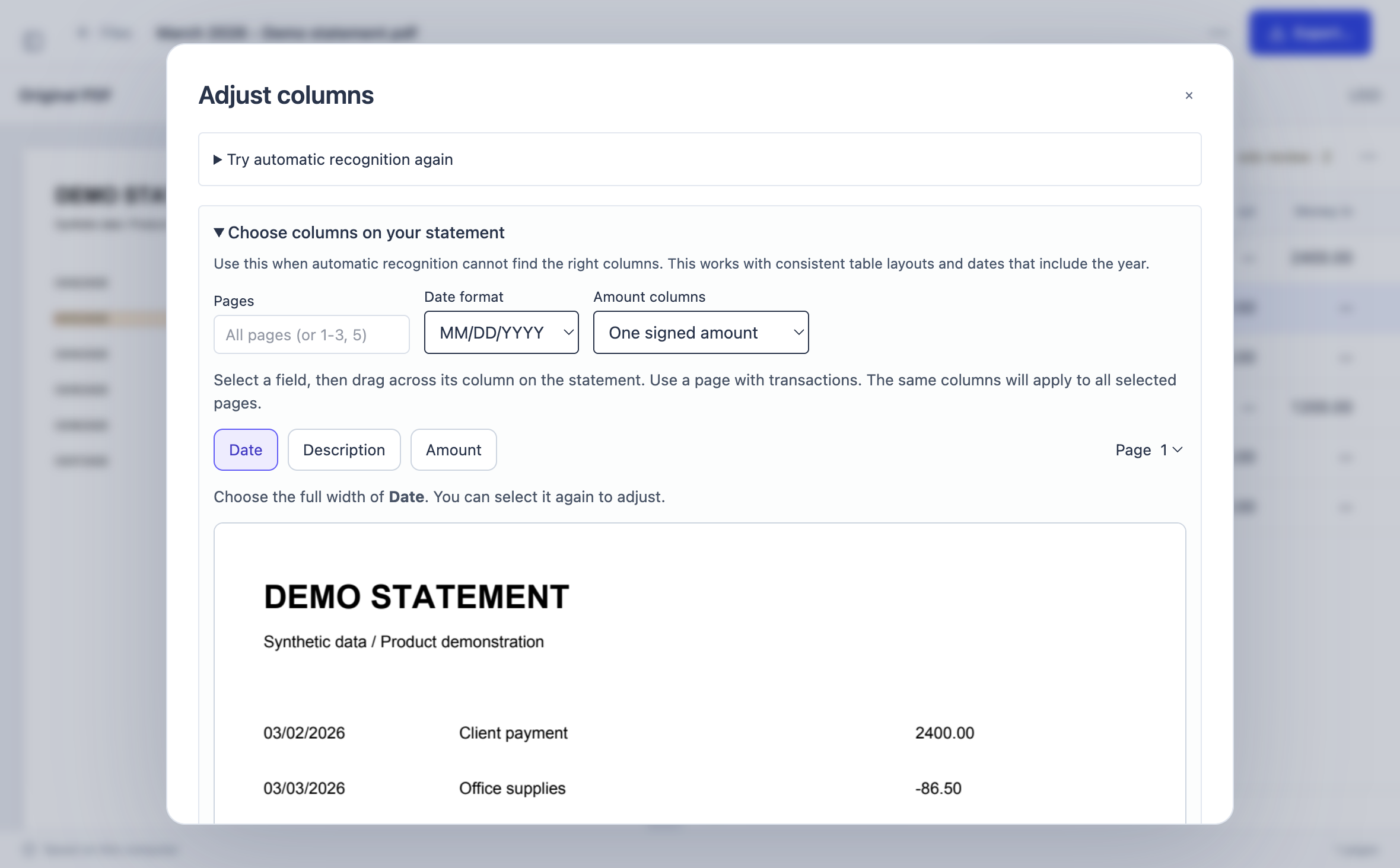
IMAGE PDF → TEXT → TRANSACTIONS
OCR turns pixels on scanned pages into machine-readable text. Stmtio then tries to organize dates, descriptions and amounts as transactions. Recognition is a starting point, not a verified ledger.
Import a scanned or mixed bank statement PDF. Select the pages you need and supply a document password if required.
Stmtio reads image-based pages on your computer. Pages with usable text can be processed without OCR; the PDF is not sent to Stmtio for conversion.
Inspect extracted rows beside the original. Correct fields, and use manual column mapping if automatic recognition misses a consistent table layout.
Export reviewed transactions to CSV or Excel XLSX, then test the file in your destination workflow.
OCR LIMITATIONS
Do not rely on a scanned PDF export without comparing it with the original statement. Poor scans and unfamiliar layouts can introduce errors even when the output looks plausible.
Check similar-looking digits and letters, especially 0/O, 1/I, decimal points and date order.
Verify decimal placement, minus signs, refunds and debit/credit direction against the source page.
Look for wrapped descriptions, merged or split rows, missing transactions and page-boundary omissions.
Compare row counts and statement totals where available. Test a small export before importing a full batch.
PREPARE THE SOURCE
Use a legible PDF with complete page edges and enough contrast to distinguish transaction rows. If the scan is skewed, blurred, cropped or very faint, obtain a clearer statement when possible. A cleaner source reduces review work but does not eliminate it.
Stmtio does not promise support for every bank layout or error-free recognition. For the broader process, see the bank statement converter workflow.
LOCAL BY DESIGN
Statement PDFs, OCR text, transaction data, corrections and exported files are processed and stored locally. They are not uploaded to Stmtio for OCR or conversion.
Stmtio is not a fully offline app: sign-in, subscription, device registration and page-allowance checks use online services. Read the Privacy Policy for the boundary.
COMMON QUESTIONS
A scanned statement is an image of a page inside a PDF. It may have no selectable text, so the transaction table must first be read with OCR before its fields can be structured.
No. Faint text, skewed pages, similar-looking characters and unusual tables can cause missing or incorrect rows. Compare dates, descriptions and signed amounts with the original PDF before export.
No. Statement PDFs, OCR text and transaction data are processed and stored on your computer. Sign-in, subscription, device registration and page-allowance checks use online services.
Review the extracted transactions beside the original PDF. You can correct rows and use manual column mapping when automatic recognition does not identify a consistent table layout.
Stmtio can export CSV or Excel XLSX. The 0.1.0 desktop preview is available for Windows x64 and macOS on Apple silicon or Intel; its installers are unsigned.
START WITH ONE REPRESENTATIVE STATEMENT
Try the unsigned Stmtio 0.1.0 preview on Windows x64, Apple silicon or Intel Mac. The first 10 pages are free.
Choose your installer ↗